My TOP 5 Android Apps

Hello, Geekzz,
In this post, you will find my TOP5 favorite Android applications.
- Ad-Free apps
- Most of the apps are Freeware, these ones that are paid are on really good price and we categorize them as bargains
- All of the apps are tested on the latest available Android version.
- For some of the apps, we have a mandatory element - Root Access.
My TOP 5 applications
**Blue Mail**


Blue Mail is a free, beautifully designed, universal email client, capable of managing an unlimited number of mail accounts from various providers, allowing for smart push notifications and group emailing while enabling personalization across multiple email accounts. BlueMail is the perfect replacement for your stock email app.
With a powerful unified account, experience packaged in an intuitive and easy to use design, Blue Mail provides a top notch email service.
Functionalities:
- Multiple providers - Gmail, Yahoo Mail, Outlook and Office 365
- Support for IMAP, POP3 + Exchange (ActiveSync & EWS) Auto Configuration
- Sync multiple mailboxes from all your providers in a Unified Interface
- True push email for the widest range of mail services
- Material Design & Lollipop
- Smartest mobile notifications - Quiet Hours, Custom Sounds, Vibrate, LED Light, Snooze Alerts and other preferences per each of your accounts
- Beautiful dark theme - with automatic switch between day & night modes
- Rich text signature - Easily configure text styles and add your logo
- Android wear - Receive and act on notification right from your watch
- Mobile printing – Integrated with any printer supported by Android such as select plugins
- Configurable Menus – Customize your swipe menu and email view actions with
So, this is my daily e-mail application, very well designed application with many, many options for customization. I'm running three different e-mail accounts and there is no need to install additional applications in order to track my e-mails.There are constant updates so you can expect bug-free application and ... the Dark theme is pure game!
**Droid Hardware**
Droid Info is a hardware specification app for Android with detailed information about your smartphone including device, system, memory, camera, battery and sensor details. You can also export a full report of your Smartphone.No ads! very well presented and easy to understand!
Functionalities:
- Device Info: Model, Manufacturer, Chipset, Build Number and Android OS version.
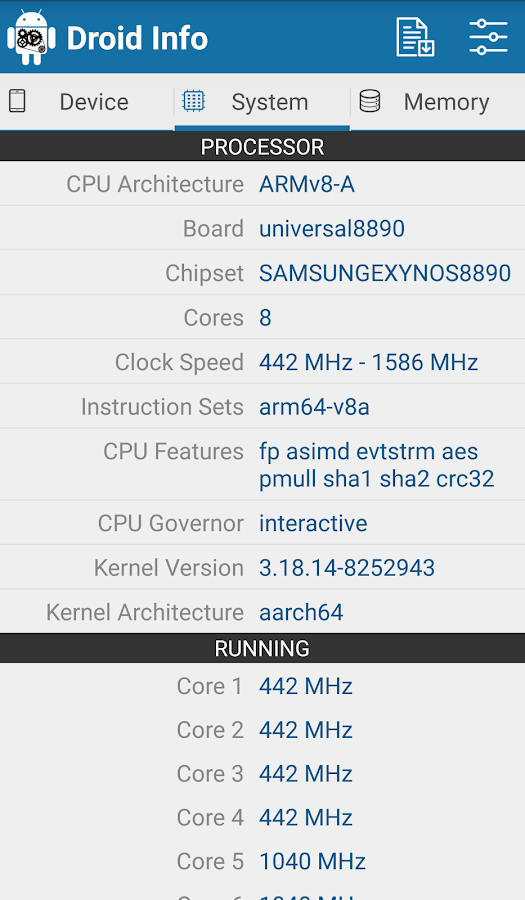
- System: CPU architecture, Board, Number of Cores, Clock Speed, CPU Features, Governor and Kernel information. As well as current CPU Utilization, Total running processes, and clock frequency of each core.
- Memory: Total and available RAM, as well as Storage information about your device.
- Camera: Detailed information about the primary and secondary camera in your phone. Along with supported resolutions, focus modes, and AntiBanding modes.
- Thermal: Internal temperature of your Smartphone.
- Battery: Health, current level, power source, temperature, voltage.
- Sensors: All the sensors in your device with real-time testing.
Final thoughts:
Do you want to know every detail about your phone, its processors, sensors, graphics, thermal temps, and much much more? Then this is the app for you. All that info is snuggled up in a neat clean interface that is extremely easy to navigate.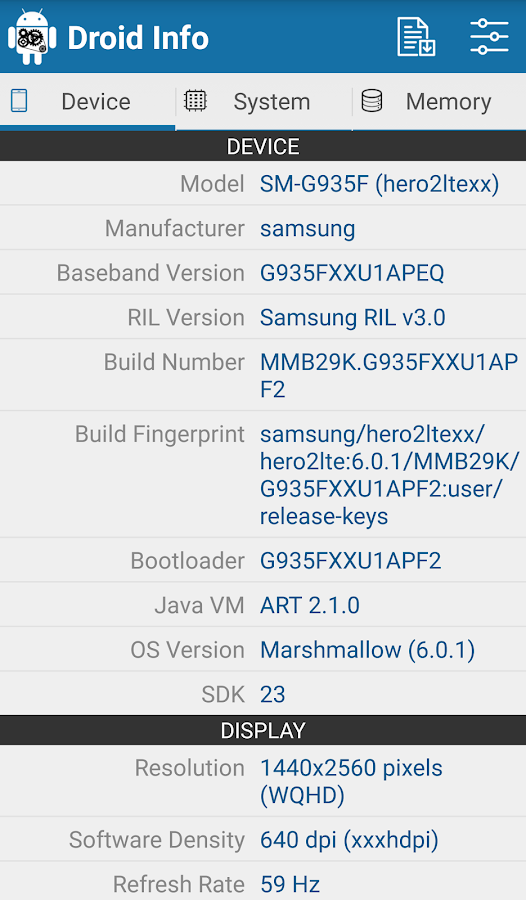
**InsWall**
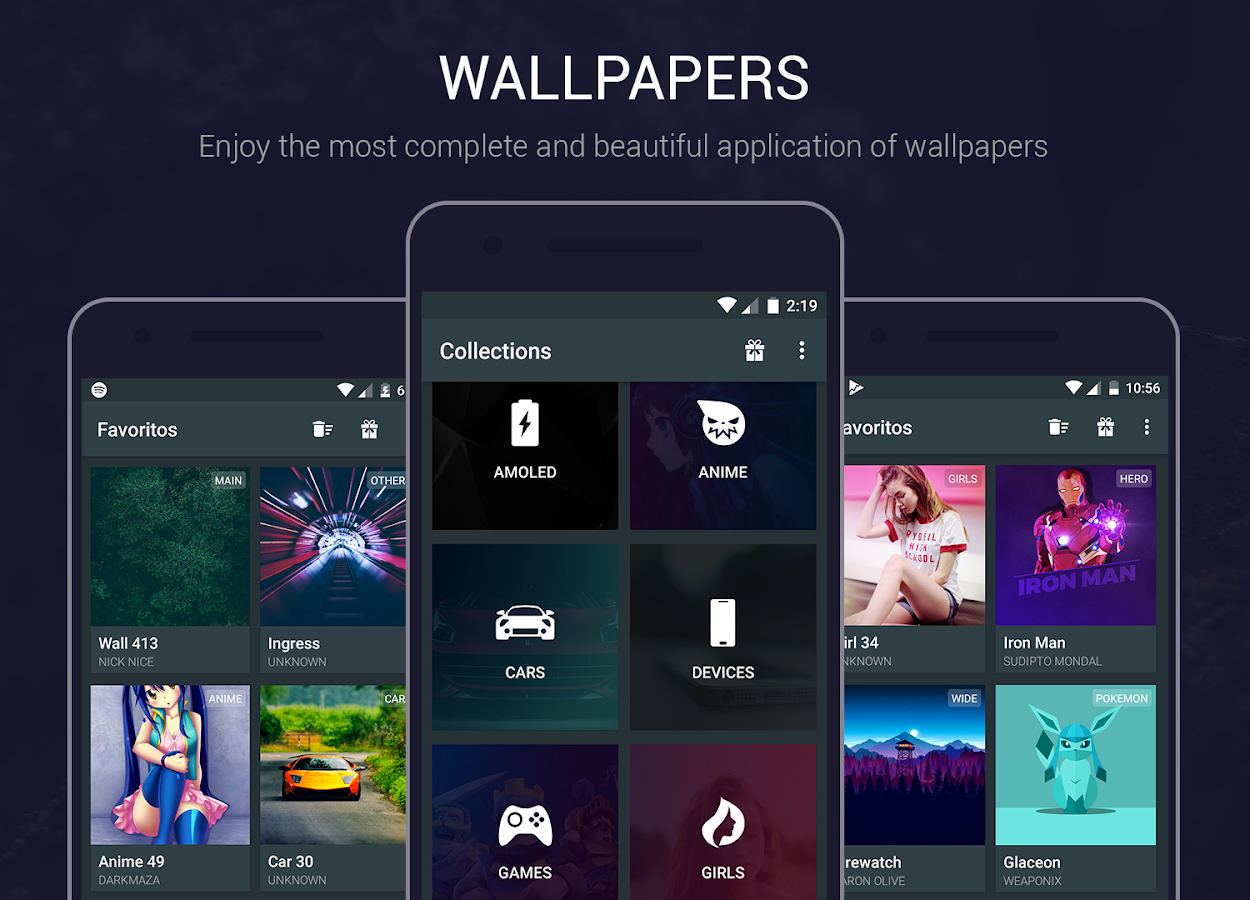
 Experience the world of personalization with the best wallpapers in Full HD and 4K.
Enjoy the wide content of wallpapers, selected among the best to show off your best screen.The wallpapers are obtained from different sources where they are given all the credit to the owners.
Functionalities:
- 1000+ wallpapers in Full HD and 4K
- Pro Collections (Free)
- Gradient wallpaper generator
- Get and save your current wallpaper
- Integrated editor: Blur, brightness, and grayscale
- HomeScreen Simulator
- Multiple views of the wallpaper
- Apply wallpaper with one touch
- Crop wallpaper before applying
- Wallpaper Information
- Simple and beautiful interface
- Support for tablets
- Constant updates
- Material Design
One of the greatest wallpapers app that you can find.With clear UI and simple configuration. The wallpapers are really amazing. Also, there are no ads!
**Ex KernalManager**

EX Kernel Manager (EXKM) is the ultimate tool for performance tuning, maximizing battery life, tweaking color, sound, gestures and other kernel settings. EXKM gives you total control over your hardware with premium features and a beautifully optimized material design user interface.
Functionalities:
- Dashboard: your homepage within the app, Dashboard summarizes your current settings and shows real-time CPU and GPU frequencies, temperatures, memory usage, uptime, deep sleep, battery level and temperature, governors, and i/o settings.
- Battery Monitor: the most accurate way to measure battery life. EXKM's Battery Monitor is designed to show battery statistics that you can use to improve battery life scientifically. EXKM Battery Monitor measures % battery use per hour and gives separate statistics for screen off (idle drain) and screen on (active drain). It automatically measures only when the battery is discharging so you never have to remember to reset the stats or create markers.
- CPU Settings: easily create, share and load CPU governor profiles for maximum battery life. Adjust max frequency, min frequency, CPU governor, CPU boost, hotplugging, thermals and voltage (if supported by kernel or hardware)
- Graphics Settings: Max frequency, min frequency, GPU governor and more.
- Advanced Color Control: RGB controls, saturation, value, contrast and hue, Save, load and share custom profiles. (requires kernel support, most custom kernels for Qualcomm devices implement this driver)
- Custom User Settings: This feature allows you to add any kernel setting you want. Kernel settings are located in the /proc and /sys directories. Simply navigate to the desired path and you can quickly and easily add the setting to the app where it can be changed on the fly or applied at boot. Plus you can easily import/export your custom settings and share with other users.
- Memory Settings: adjust zRAM, KSM, lowmemorykiller, and virtual memory settings
- Sound Control: adjust speaker, headphone and mic gain. Supports elementalx, fauxsound, fanco sound control, and others (requires kernel support).
- Kernel Backup: save and restore kernel backups
Final thoughts:
Best app on the play store if you have a rooted device. Gets updated frequently and just keeps getting better and better.Everything is smooth and working pretty good.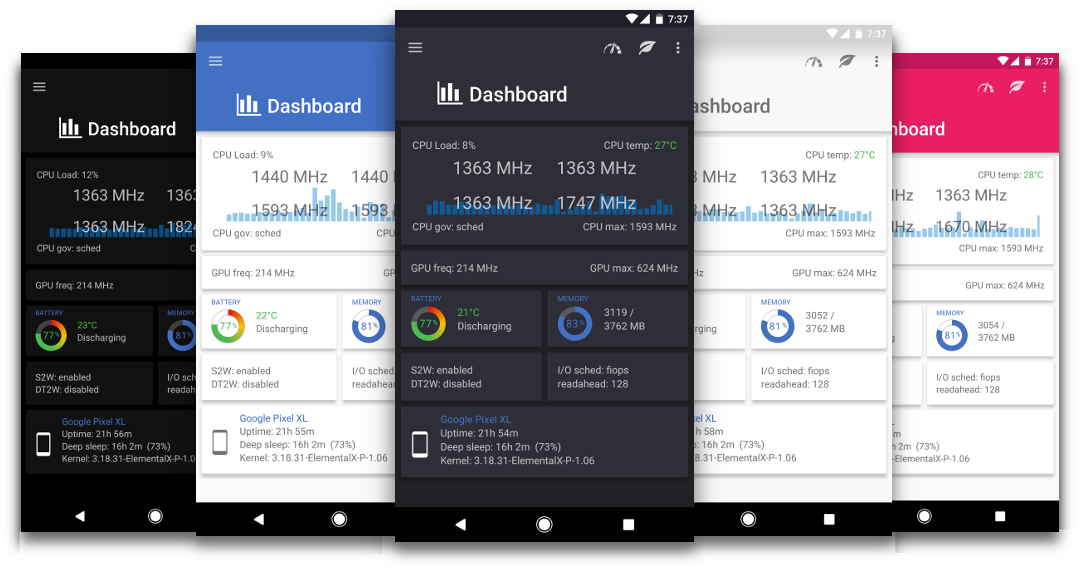
**Brave Browser: Fast AdBlocker**

Brave Web Browser is a fast, free, secure web browser for Android with a built-in AdBlock, tracking and security protection, and optimized data and battery experience.
Functionalities:
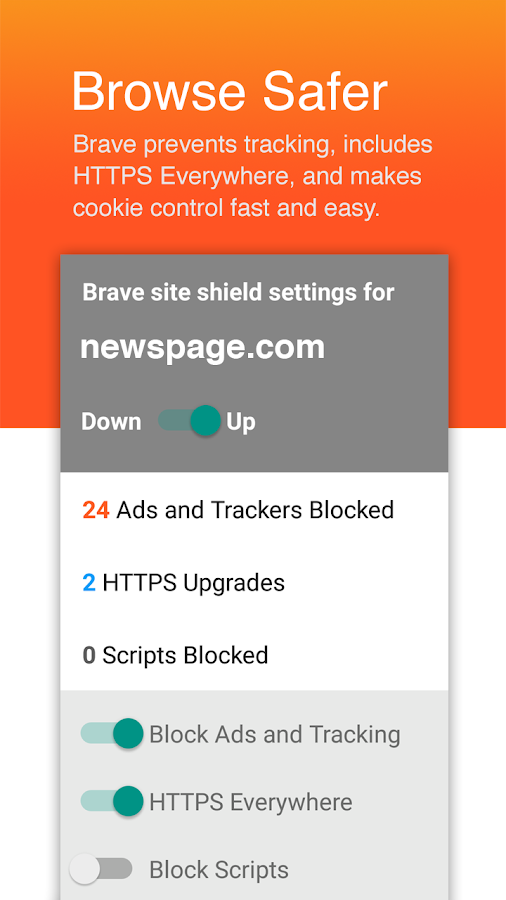
- ADBLOCK: Brave is designed with a built-in adblocker to provide an ad-free and seamless browsing experience.
- FAST & SECURE: No external plugins or settings to manage or configure! Brave simply provides the fastest and most secure browsing experience available for Android. Brave is designed for both speed and security so you can enjoy lightning fast browsing without popups, malware, and other annoyances.
- BATTERY & DATA OPTIMIZATION: Brave reduces page loading time, improves performance, and guards from ads infected with malware. Brave shows a 2x to 4x speed increase on Android, so you will see a direct reduction in both battery and data plan consumption.
- PRIVACY PROTECTION: Brave also protects users with leading privacy and security features such as HTTPS Everywhere (encrypted data traffic), script blocking, 3rd party cookie blocking, and private incognito tabs.
Additional features:
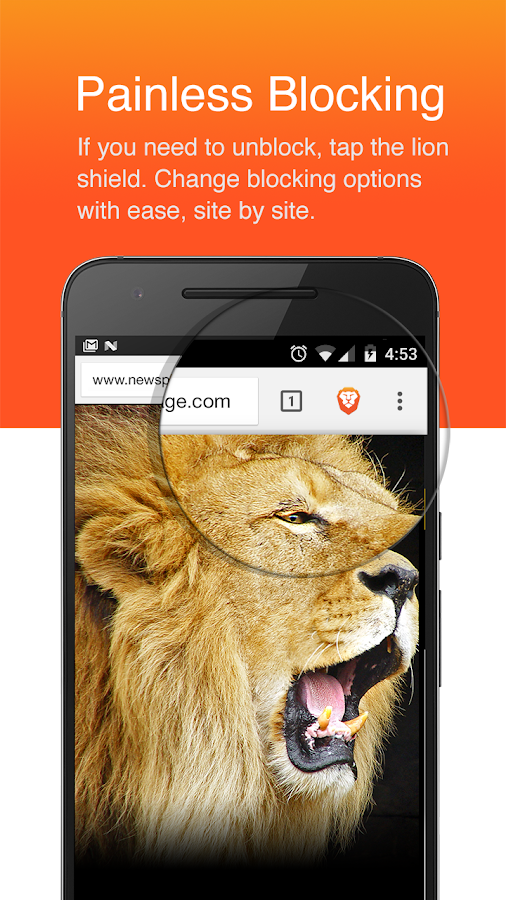
Brave blocks add! Brave is smooth, it comes with a clean interface. Brave is one of the best Android browser on the market and the team who create this browser work really hard to make it better and better. The browser looks very similar to Google Chrome, so if you like your Chrome for sure you will like Brave.
Copyrights&Disclamer
- Built-in AdBlock
- Blocks pop-ups
- Battery optimization
- Data optimization
- Tracking Protection
- Https Everywhere (for security)
- Script Blocking
- 3rd party cookie blocking
- Bookmarks
- History
- Private tabs
- Recent tabs
Brave blocks add! Brave is smooth, it comes with a clean interface. Brave is one of the best Android browser on the market and the team who create this browser work really hard to make it better and better. The browser looks very similar to Google Chrome, so if you like your Chrome for sure you will like Brave.
Copyrights&Disclamer
- I do not own any of the pictures/video clips in this post. They are used only for educational/informational purposes.
- References - Youtube, Google PlayStore
Comments
Post a Comment